3rd edition of the digitization course at the Palais des Beaux-Arts of Lille
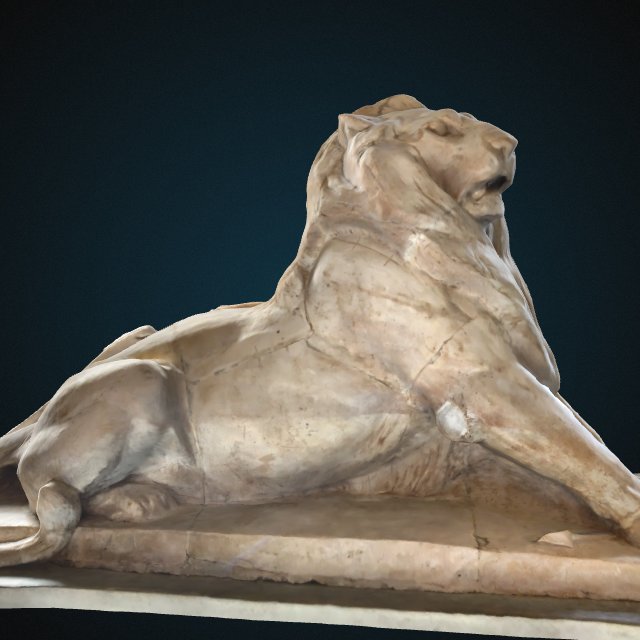
A few weeks ago, art history students from the University of Lille got a chance to try out artwork digitization at the Palais des Beaux-Arts of Lille! This digitization session is part of a course designed to train students in the methods and tools of cultural heritage digitization. Each group selected artworks on display in the museum and digitized them. The resulting 3D models will then be enriched using eCorpus and can be used as mediation tools to help audiences engage with the museum’s collections. If you’re curious, you can take a look at this scene created last year about the Lion of Belfort:
Three new tutorials for eCorpus
If you’d like to enrich your models with audio tracks, add animations to guided tours, or generate orthophotos from your models, we’ve written new tutorials packed with examples to help you get started.
Adding audio tracks in Voyager
One feature that’s still rarely used (as far as we know) is the ability to add audio tracks. Audio can be linked to a model or to a specific annotation. These tracks can offer a new way of accessing information that already exists in other formats (such as articles), or enrich the exploration of 3D models with custom soundscapes. For architectural 3D models, for example, you could add recordings or reconstructed sound environments that bring the space to life.
We’ve put together a new tutorial to guide you through adding audio tracks.
Animating model positions in a guided tour
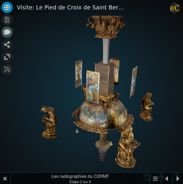
Splitting a 3D model into several parts makes it possible to animate their positions independently during a guided tour. This allows you to demonstrate possible movements, reveal the internal structure of an object, present a reconstruction hypothesis,... The three eCorpus scenes below showcase the possibilities of animated guided tours :
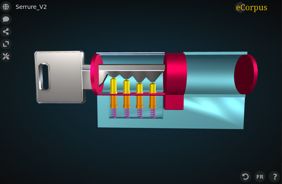
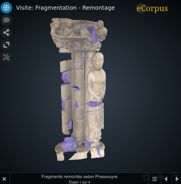
The animated guided tours tutorial walks you through how to make the most of these features. It includes a step-by-step guide to creating the lock scene shown above.
Please note: this type of animation is different from the GLB animations available via the “Action” task. A dedicated tutorial for those animations is currently being prepared.
Using dpo-voyager tools to study a model
Voyager offers a range of tools available within the viewer. These tools let you take measurements, create cross-sections, adjust lighting, and more. This new guide presents all the available options:
It also explains how to get a high-quality orthophoto from your 3D model using editor mode.
User groups to simplify scene access rights management
Until now, giving a group of people specific access rights across multiple scenes required adding each person individually to each scene. With the latest version of eCorpus, we’re testing user groups to make collaboration easier. eCorpus administrators can now create these groups from the admin panel and add members to them. Scene administrators can also share a scene with a group, granting specific permissions to all group members.
As a user, you can view the groups you currently belong to from your user page, accessible from the top-right corner of the interface.
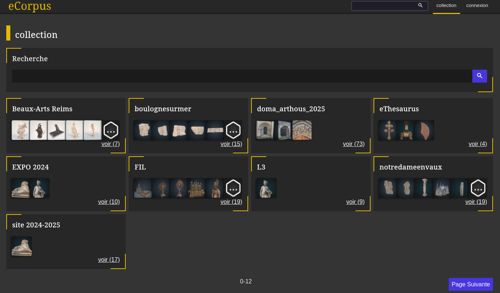
The collections page gets a new look
The collections page (which lets you browse scenes by tag) has just been redesigned to provide a preview of each collection’s content. If you want to quickly create a new collection, you can now do so directly from the search page by adding a tag to a selection of scenes (as long as you have admin rights for the selected scenes).