Voyager scenes hosted on eCorpus can be embedded into third-party sites as an iframe or an oEmbed link.
Embedding with an iframe
For a scene
You can obtain the complete embed code for your scene in the Voyager interface by clicking the “Share” button  .
.
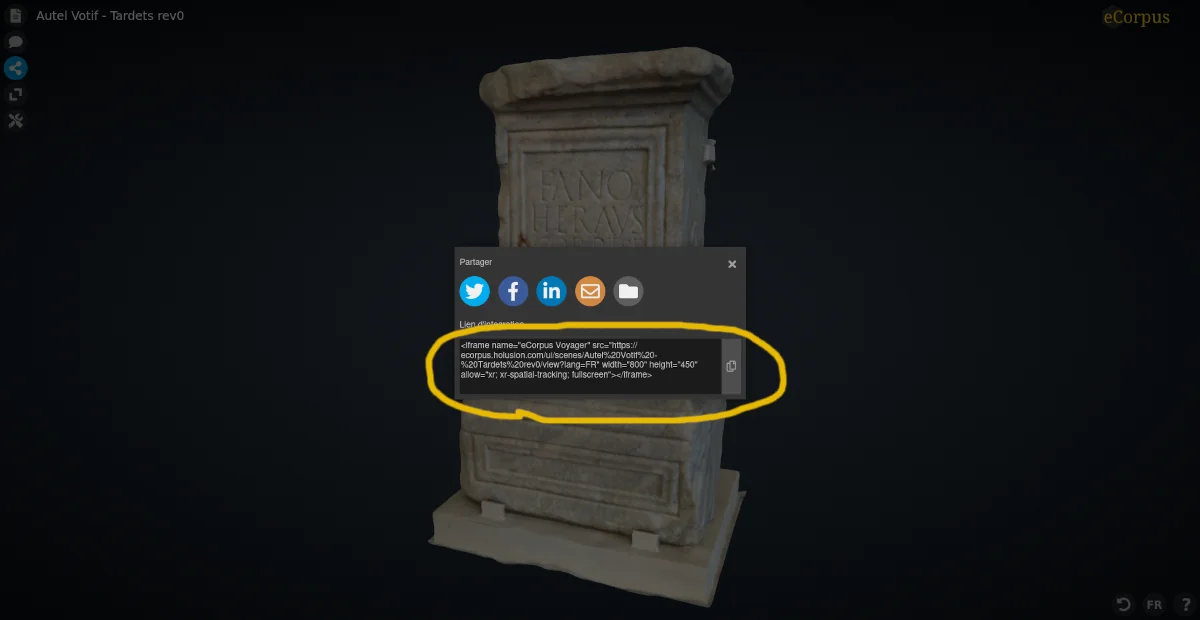
Example iframe code:
<iframe
  name="[TITRE]"
  src="[LIEN VERS LA VUE VOYAGER]"
  width="800"
  height="450"
  allow="xr; xr-spatial-tracking; fullscreen"
></iframe>
Parameters
You can force the scene to load in a chosen language by adding ?lang=, followed by the appropriate language code (FR, EN, NL, etc.). If no parameter is provided, the scene will load in the default language.
For a collection
Scene collections (or “tags”) can also be embedded, allowing you to display a thematic catalog of available scenes.
Simply use the URL of the “collection” page to embed it in an iframe block.
Example of a collection page: https://ecorpus.holusion.com/ui/tags/notre-dame-en-vaux
Embedded in an iframe:
<iframe
  name="Collection Lapidaire de Notre-Dame-en-Vaux"
  src="https://ecorpus.holusion.com/ui/tags/notre-dame-en-vaux"
  width="800"
  height="450"
  allow="xr; xr-spatial-tracking; fullscreen"
></iframe>
Which gives the following result:
oEmbed embedding
If it is supported by your CMS, oEmbed embedding is simpler and more flexible:
Simply paste the URL of the chosen scene (e.g. https://musee-archeologienationale.ecorpus.eu/ui/scenes/Os%20peint%20azilien) or collection (e.g. https://musee-archeologienationale.ecorpus.eu/ui/tags/gaule%20romaine) into the oEmbed field of your CMS.
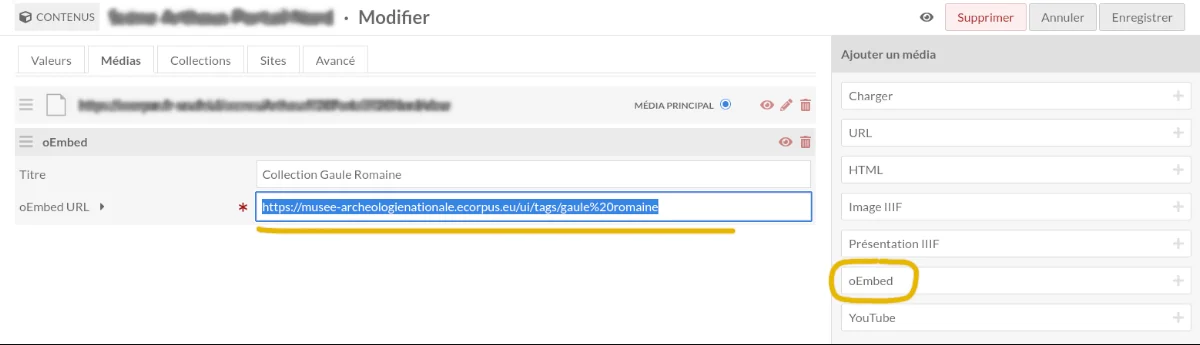
You may need to whitelist the domain of your eCorpus instance in your CMS configuration. A Guide for Omeka S is available for this purpose.